


Convertitore da PDF a PNG
Converti pagine da uno o più PDF in immagini PNG online gratuitamente. Scegli pagine specifiche o convertile tutte direttamente nel tuo browser. Nessuna registrazione o filigrana.
Trascina qui i tuoi file PDF
oppure fai clic per sfogliare i tuoi file
Seleziona fino a 10 PDF, 20 MB ciascuno.
Tutte le pagine del PDF vengono mostrate qui sotto in anteprima. Seleziona le pagine che ti servono, oppure scegli Converti tutte le pagine.


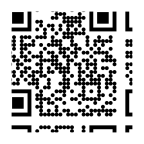
Le tue immagini PNG sono pronte. Continua a scansionare dal tuo telefono.
Scansiona ed esporta documenti dal tuo telefono. Utilizza l'IA per estrarre testo, riassumere, tradurre e chattare con le tue scansioni.
Scarica Scan.Plus gratuitamente:
Esplora altri strumenti PDF gratuiti
Converti, organizza e prepara i tuoi documenti con altri strumenti basati su browser di Scan.Plus.
Come convertire un PDF in PNG online
Trasforma le pagine PDF in immagini PNG senza installare software o creare un account. Scegli singole pagine o converti tutte le pagine da un massimo di 10 file PDF.
Seleziona fino a 10 file PDF o trascinali nel convertitore. Ogni PDF può arrivare fino a 20 MB.
Controlla le anteprime delle pagine e seleziona quelle che vuoi convertire, oppure mantieni tutte le pagine.
Fai clic su “Converti pagine selezionate” o “Converti tutte le pagine” per creare immagini PNG dai tuoi PDF.
Scarica la tua immagine PNG. Quando converti più pagine, le immagini vengono raggruppate insieme in un file ZIP.
Perché usare questo convertitore gratuito da PDF a PNG?
Esporta pagine PDF come immagini PNG di alta qualità in modo rapido e privato.
Conversione gratuita da PDF a PNG
Converti un PDF in PNG senza registrazione o filigrana. Esporta solo le pagine che ti servono o converti l'intero documento.
Converti pagine selezionate o tutte le pagine
Usa le anteprime delle pagine per scegliere singole pagine, oppure converti ogni pagina del PDF in un'unica operazione.
Immagini PNG per pagine di documenti nitide
Trasforma le pagine dei documenti in immagini PNG ampiamente supportate con compressione senza perdita, ideali per testo, diagrammi e screenshot.
Elaborazione locale del documento
Il tuo PDF viene elaborato localmente nel tuo browser anziché essere caricato su un server di elaborazione. Il file originale non viene mai sovrascritto.
Domande frequenti su PDF a PNG
Questo convertitore da PDF a PNG è gratuito?

Sì. Puoi convertire pagine PDF in PNG senza creare un account o aggiungere una filigrana.
Posso convertire solo pagine PDF specifiche in PNG?
Sì. Seleziona le anteprime delle pagine che desideri, quindi scegli “Converti pagine selezionate”.
Come vengono scaricate più pagine PNG?
Se converti più di una pagina, le immagini PNG vengono raggruppate insieme in un file ZIP per un unico download.
Il mio PDF viene caricato durante la conversione?
No. La conversione avviene localmente nel tuo browser anziché su un server di elaborazione.
La conversione da PDF a PNG riduce la qualità dell'immagine?
Il formato PNG utilizza una compressione delle immagini senza perdita di qualità, quindi non aggiunge artefatti di compressione tipici del formato JPEG. La pagina del PDF viene comunque rasterizzata in un'immagine ad alta risoluzione.
Inizia subito a scansionare.
Scan.Plus è uno scanner mobile sicuro disponibile per privati e aziende





Confédération Suisse
Confederazione Svizzera
Confederaziun Svizra
Swiss Confederation
Innosuisse - Agenzia svizzera per l'innovazione


